Google Sheets comparison
5 best IMPORTJSON alternatives for Google Sheets in 2026
Google Sheets does not include a native IMPORTJSON function. These are the practical alternatives—from a no-code JSON add-on to a fully custom Apps Script—and the tradeoffs that matter for authentication, pagination, refreshes, maintenance, and cost.
Choose JSON for Sheets when you want the easiest visual workflow with local files, authenticated API requests, pagination, field selection, safe writes, saved imports, and optional schedules. Choose an open-source IMPORTJSON script for a small public endpoint when you are comfortable owning the code. Build custom Apps Script when the integration requires unique business logic. Use IMPORTDATA only when the source can return CSV or TSV, and choose a general API connector when JSON is one part of a broader data-integration workload.
Why there is no native IMPORTJSON formula
Google documents five spreadsheet import functions: IMPORTDATA, IMPORTHTML, IMPORTFEED, IMPORTXML, and IMPORTRANGE. JSON is not on that list. IMPORTXML accepts an XPath query for structured sources such as XML and HTML, while IMPORTDATA expects CSV or TSV. Neither is a general-purpose JSON parser.
That leaves three real approaches: install a maintained add-on, add Apps Script code to the spreadsheet, or transform the source outside Sheets. The right choice depends less on whether a demo request works and more on what happens when the API needs a token, returns multiple pages, changes shape, or must refresh without someone watching it.
IMPORTJSON alternatives compared
| Option | Best for | Authentication | Scheduled refresh | Maintenance |
|---|---|---|---|---|
| JSON for Sheets | Most spreadsheet users and repeatable API imports | Encrypted connections | Paid plans | Managed |
| Open-source IMPORTJSON script | Simple public GET requests | Requires code changes | Build it yourself | You own it |
| Custom Apps Script | Unique workflows and business rules | Fully customizable | Apps Script triggers | You own everything |
| IMPORTDATA / IMPORTXML | CSV, TSV, XML, or HTML sources | Very limited | Google-managed refresh behavior | Low, when the format fits |
| General API connector | Many APIs, presets, or broader reporting | Usually supported | Usually paid | Managed |
Feature availability and pricing change. Verify current plan details with each provider before purchasing.
Best overall for JSON
1. JSON for Sheets visual add-on
JSON for Sheets is the best fit when the person maintaining the spreadsheet should not also have to maintain an HTTP client and JSON parser. You can paste JSON, read it from a selected cell, open a local .json file, enter a public URL, build an authenticated API request, or paste a cURL command.
The preview exposes the rows and detected fields before anything is written. You can choose a root path, select exact output columns, control nested arrays, and use overwrite, append, or update-or-append. Remote responses are fetched fresh rather than served from a product response cache.
- Best strengths: visual setup, local files, encrypted credentials, GET/POST/PUT/PATCH/DELETE, pagination, spreadsheet variables, safe output, saved imports, and schedules.
- Tradeoff: remote API volume and automatic schedules are plan-based; it is not a free unlimited fetch engine.
- Choose it when: a business user needs a dependable JSON table without writing or maintaining Apps Script.
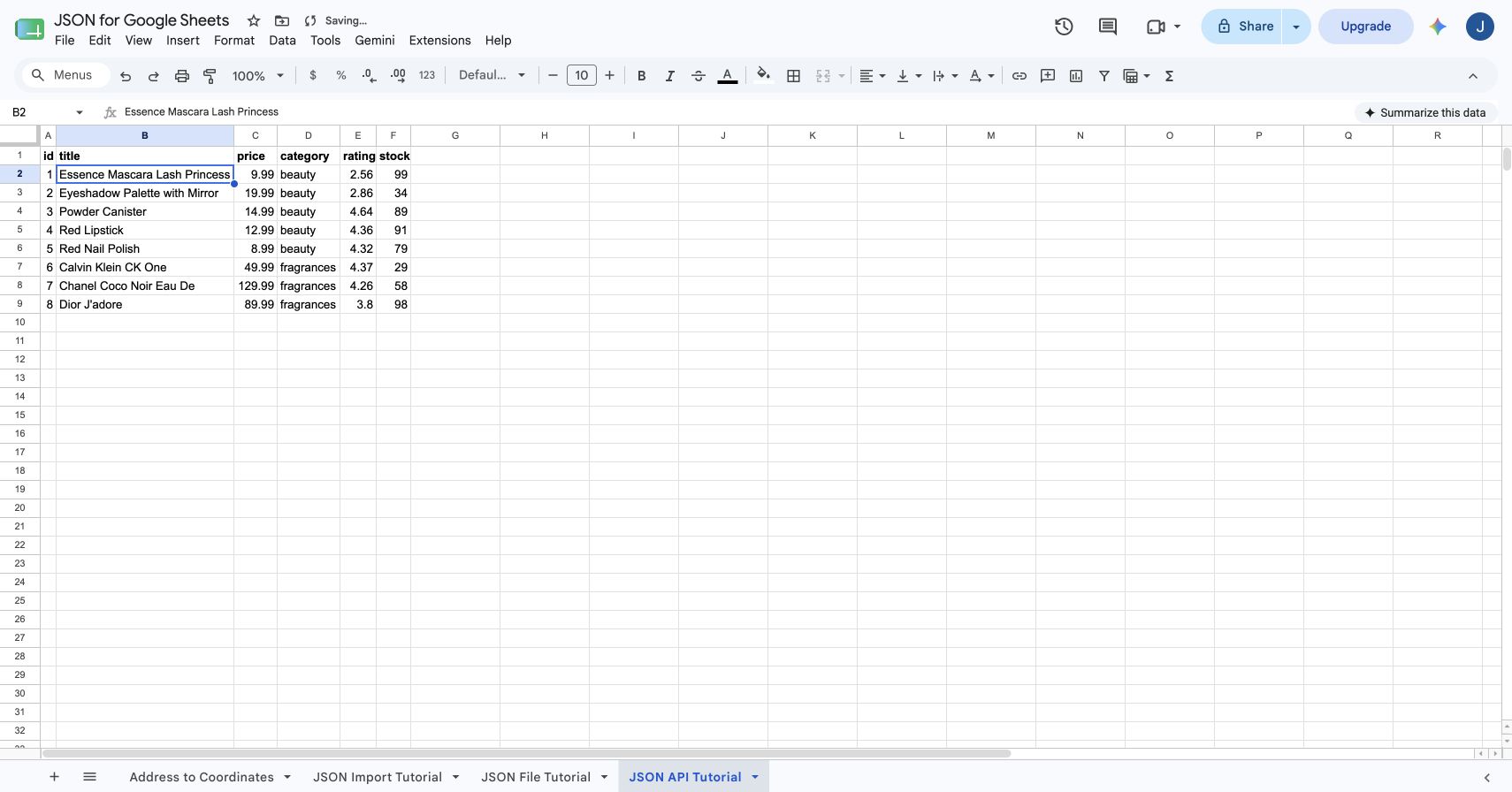
See the complete JSON import walkthrough or follow the authenticated API guide.
Best free code-first option
2. An open-source IMPORTJSON Apps Script
The long-running open-source ImportJSON project on GitHub popularized the custom-function approach: paste a script into Apps Script, then call an IMPORTJSON-style formula from a cell. It remains appealing because the code is inspectable and there is no add-on subscription attached to the script itself.
The tradeoff is ownership. Someone must review the code, add it to each spreadsheet or library setup, authorize external requests, handle API-specific authentication, diagnose quota or execution failures, and update the parser when the endpoint behaves differently. A custom function can also recalculate at inconvenient times, which makes request metering and secret handling harder to reason about.
- Best strengths: free source code, formula-like use, full visibility, and easy experimentation with public GET endpoints.
- Tradeoff: no managed support, visual preview, encrypted connection store, built-in schedule manager, or universal pagination configuration.
- Choose it when: the request is small and public, and a technical owner is comfortable maintaining Apps Script.
Best for developers
3. Custom Apps Script with UrlFetchApp
A custom script offers the most control. Google's UrlFetchApp service supports HTTP and HTTPS requests, headers, payloads, and GET, DELETE, PATCH, POST, and PUT methods. You can write exactly the retry logic, transformation, destination behavior, and trigger schedule the integration requires.
That flexibility comes with operational work. You must validate URLs, protect credentials, prevent formula injection, bound pagination, handle response sizes, avoid overlapping runs, and make writes idempotent. Apps Script also has per-user quotas and execution limits. Google's current quota documentation lists URL Fetch calls, response-size limits, trigger runtime, and other constraints, and warns that quotas can change.
- Best strengths: unlimited customization and direct integration with spreadsheet logic.
- Tradeoff: engineering, security review, testing, monitoring, and maintenance are entirely yours.
- Choose it when: the workflow contains proprietary logic that a configurable add-on cannot express.
Best when the source is not really JSON
4. IMPORTDATA or IMPORTXML workaround
Built-in functions are excellent when the source format matches them. If an API can return CSV or TSV, IMPORTDATA may be all you need. If the source is XML or an HTML table, IMPORTXML or IMPORTHTML may fit. But pointing IMPORTXML at arbitrary JSON and hoping an XPath expression will parse it is brittle because JSON is not its documented target format.
Google says IMPORTDATA, IMPORTHTML, and IMPORTXML automatically check for updates about hourly while the document is open, and that heavy use may be throttled. Refresh timing is not a precise job scheduler, authenticated requests are limited, and large results can fail.
- Best strengths: native formulas, no installation, and minimal setup for CSV, TSV, XML, or HTML.
- Tradeoff: not a real JSON solution; limited authentication, transformation, and refresh control.
- Choose it when: the endpoint already offers a supported format and the import is small.
Best for broad data integration
5. A general-purpose API connector add-on
General connectors can be a better choice when the project includes far more than JSON transformation. For example, API Connector advertises a library of preset requests plus custom API connections, while other reporting platforms focus on marketing, database, or SaaS sources.
The broader product can save time when it already understands a specific service. The tradeoff is a larger interface and pricing model than a JSON-focused workflow may need. Compare the exact authentication modes, pagination, row limits, schedule frequency, support, and permissions instead of assuming every connector handles every API equally.
- Best strengths: preset integrations, broad source coverage, and managed scheduling.
- Tradeoff: more complexity, potentially higher cost, and features unrelated to a simple JSON import.
- Choose it when: JSON is only one source in a larger reporting or data-operations stack.
How to choose the right alternative
| If you need… | Start with… |
|---|---|
| A public JSON URL turned into a table quickly | JSON for Sheets or an open-source IMPORTJSON script |
| Bearer tokens, API keys, Basic auth, or secret headers | JSON for Sheets or a security-reviewed custom implementation |
| POST requests, bodies, variables, and pagination | JSON for Sheets, custom Apps Script, or a general API connector |
| Hourly, daily, or weekly refresh while the file is closed | A managed add-on or carefully maintained Apps Script trigger |
| A local JSON file that should not be uploaded to a server | JSON for Sheets From file |
| A CSV or TSV endpoint | Google Sheets IMPORTDATA |
| Completely custom business rules | Custom Apps Script |
Methodology and primary sources
This comparison favors practical ownership cost over the number of features on a landing page. We evaluated whether each option can securely reach the source, transform nested JSON, preview output, handle pagination, control spreadsheet writes, refresh predictably, expose useful errors, and remain understandable to the person who will maintain it.
- Google Docs Editors Help: import functions, refresh behavior, and usage limits
- Google Docs Editors Help: IMPORTXML syntax and supported structured data
- Google for Developers: UrlFetchApp reference
- Google for Developers: Apps Script quotas
- Google Workspace Marketplace: ImportJSON add-on listing
JSON for Sheets publishes this guide and is therefore not a neutral party. Product-specific claims about JSON for Sheets were checked against the working add-on and its current public pricing and documentation.
Frequently asked questions
Does Google Sheets have a built-in IMPORTJSON function?
No. Google Sheets includes IMPORTDATA, IMPORTHTML, IMPORTFEED, IMPORTXML, and IMPORTRANGE, but not IMPORTJSON. JSON requires an add-on, Apps Script, a conversion step, or an external connector.
What is the easiest IMPORTJSON alternative?
For non-developers, a visual add-on is usually the easiest option because it can preview the response, expose fields, handle authentication and pagination, and write a table without maintaining code. JSON for Sheets is designed for that workflow.
Can IMPORTXML import JSON?
Not reliably. IMPORTXML is documented for structured data such as XML and HTML and requires an XPath query. It is not a general JSON parser, so converting the endpoint to CSV or using a JSON-specific tool is more dependable.
Is a custom Apps Script IMPORTJSON function free?
The code can be free to use, but it consumes Apps Script quotas and requires someone to install, review, secure, debug, and maintain it. API authentication, pagination, schema changes, retries, and safe spreadsheet writes remain your responsibility.
Which alternative is best for authenticated APIs?
Use a tool that stores secrets outside spreadsheet cells and formulas. JSON for Sheets supports encrypted bearer tokens, API keys, Basic credentials, and custom secret headers, while a custom Apps Script implementation can also work if you build secure credential storage yourself.
Which alternative is best for scheduled JSON refreshes?
A purpose-built API add-on is usually simplest. JSON for Sheets supports manual saved-import runs on Free, daily and weekly schedules on Starter, and hourly, daily, and weekly schedules on Pro. Custom Apps Script can also schedule triggers but requires ongoing maintenance.
Try the visual workflow
Import JSON without maintaining a script.
Start with a public URL, preview the rows and fields, and write a clean table. Add authentication, pagination, or schedules only when the integration needs them.